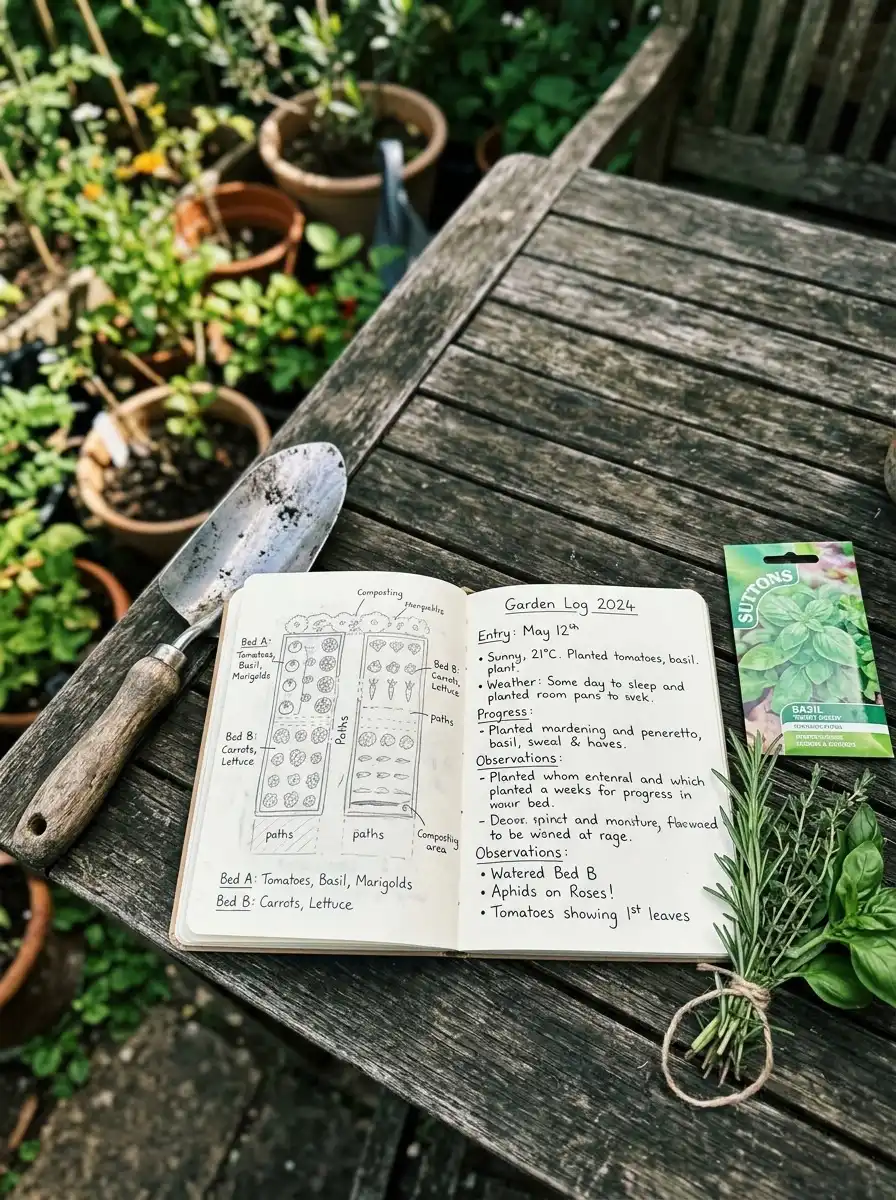
A gardening log is a simple record of what you plant, when you plant it, and how it grows. It can be a paper notebook, a binder, a spreadsheet, or a digital page. It doesn’t need to be fancy. It only needs to be something you’ll actually use.
Think about the last time your tomatoes did great, or your lettuce bolted early. Did you remember the planting date? The variety? The weather that month? Most of us don’t. Memory fades fast, and that’s exactly why a gardening log matters. It turns guesses into facts, so each season gets easier than the last.
In this guide, you’ll learn what a gardening log is, what to write in it, and which format fits your style. We’ll compare a gardening journal, a gardening binder, and a gardening notebook. You’ll also see how a Notion gardening template works, get a free layout you can copy, and pick up a quick gardening cheat sheet and infographic idea. By the end, you’ll be ready to start your own log this week.
What Is a Gardening Log and Why Does It Matter?
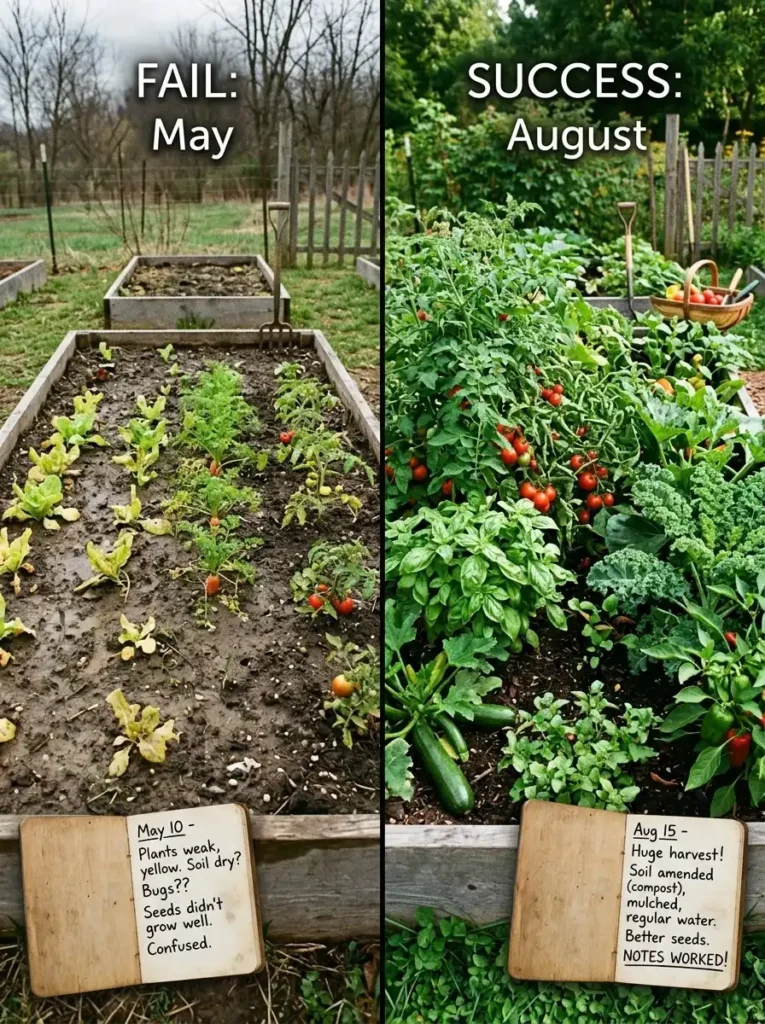
A gardening log is a written or digital record of your garden’s activities, including planting dates, weather, watering, pests, harvests, and lessons learned. Gardeners use it to spot patterns, fix mistakes, and plan better each year, making it a useful companion to a Gardening Thyme guide.
People have kept garden records for centuries. Farmers used almanacs and field books long before apps existed. Today, home gardeners use the same idea in modern ways, from a pretty gardening journal to a tidy spreadsheet.
The Real Benefits of Keeping a Gardening Log
A log pays you back in small, practical ways.
- You stop repeating mistakes. If powdery mildew hit your squash in July, you’ll see it in your notes and plant earlier next time.
- You plan with confidence. Your records show the best planting dates for your yard, not just for your zone.
- You save money. You’ll know which seeds did well and which were a waste, so you buy smarter.
- You track what works. Compost, mulch, and new watering habits are easy to compare when you write them down.
- You enjoy the process more. Looking back at photos and notes is a joy, especially in winter.
Gardening Log vs. Gardening Journal: What’s the Difference?
The two terms overlap, and many gardeners use them interchangeably. Here’s a simple way to think about it.
- A gardening log is more factual. It holds dates, numbers, and short notes. Think of it as your garden’s data.
- A gardening journal is more personal. It holds feelings, stories, sketches, and photos. Think of it as your garden’s diary.
You can combine both in one book. Many people write quick facts on one side of the page and longer thoughts on the other.
What to Track in Your Gardening Log
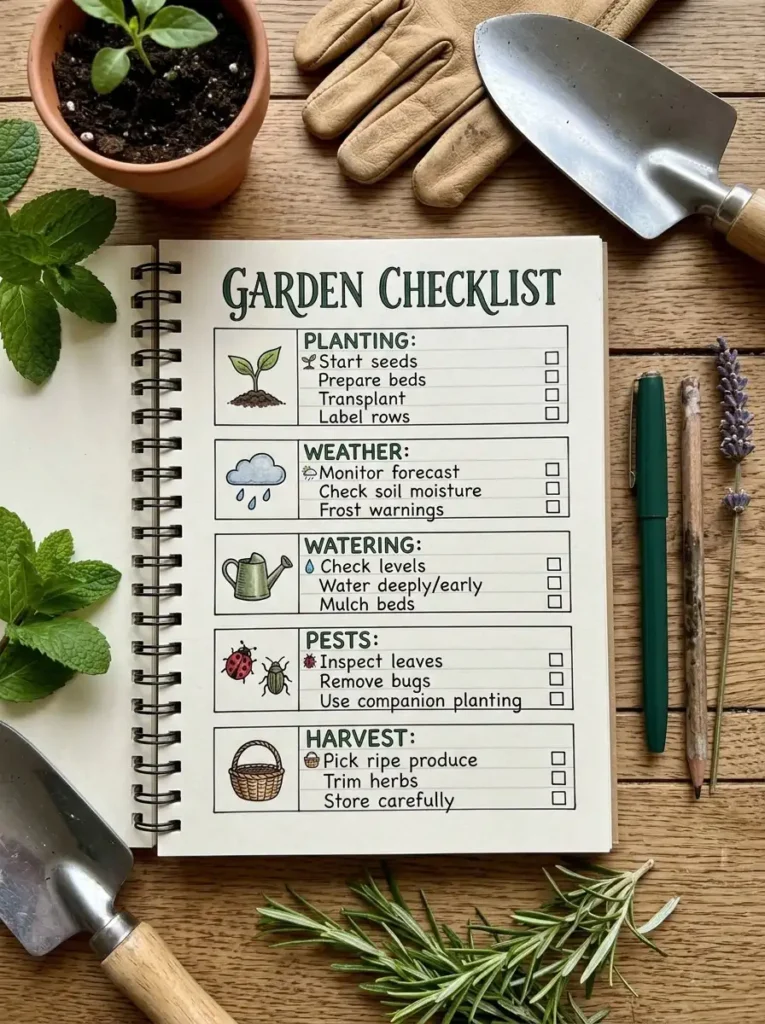
The best log is one you can fill in fast. If it takes longer than five minutes, you’ll skip it. Start with the basics below, then add more if you enjoy it.
Planting Details
Write down what you planted, the variety, and the date. Also note whether you started from seed or a transplant and where you bought it. If a variety does well, you’ll want to find it again. Add the location too, such as “Bed 2, back fence.”
Weather and Season Notes
Record first and last frost dates, big storms, heat waves, and dry spells. You don’t need to log the weather every day. Just note the unusual events. Over a few years, you’ll see your own local weather pattern.
Watering and Feeding
Keep a short note of when you water deeply, when you fertilize, and what you use. If you add compost or mulch, record the date and amount. Later, you can compare these notes with plant growth.
Pests and Diseases
Write what you saw, where you saw it, and what you did. Include how well it worked. For example: “Aphids on peppers, sprayed with soapy water, gone in three days.” That single line could save you a lot of stress next year.
Harvest Records
Track the first harvest date, how much you picked, and how it tasted. Weighing your harvest is optional but helpful. Even a rough count, like “12 tomatoes this week,” shows which plants earn their space.
Soil and Bed Notes
Record soil test results, changes you make, and which crops grew in each bed. This is especially helpful for crop rotation, since some plants shouldn’t follow each other in the same spot.
Photos and Sketches
A quick phone photo every couple of weeks adds a lot. Sketch your bed layout each spring. When you compare drawings from different years, you’ll see how your garden has changed.
Lessons and Ideas
End each season with a few lines: what worked, what didn’t, and what you’ll try next. Keep it short and honest. This is where the log becomes a real planning tool.
Which Format Is Best: Journal, Binder, Notebook, or Digital?
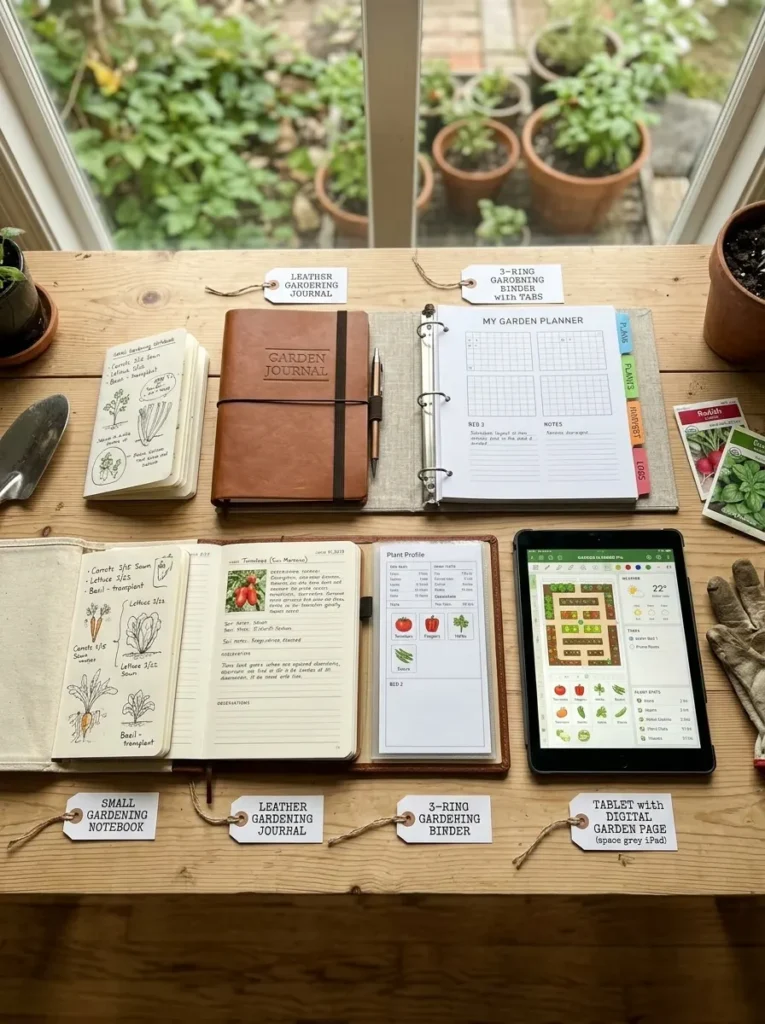
There’s no single right answer. The best format is the one that fits your habits. Here’s a closer look at each option.
The Gardening Notebook
A gardening notebook is the simplest choice. Grab a basic notebook and write. It’s cheap, portable, and easy to toss in a garden bag. The downside is that it can get messy, and you can’t easily add or move pages.
Best for: Beginners and people who want zero setup.
The Gardening Journal
Gardening journals are usually more polished. Many come with prompts, monthly pages, and space for photos and sketches. Some are made to last for several seasons. They feel nice to use, which helps you build the habit.
Best for: People who enjoy writing, drawing, and keeping a memory book.
The Gardening Binder
A gardening binder uses loose pages in a three ring binder. You can add, remove, and rearrange sections as your garden grows. Dividers and tabs keep everything tidy. You can also slip in seed packets, plant tags, receipts, and printed articles using clear sleeves.
Best for: Organized planners and anyone with a large garden or many plant types.
A Digital Log
A digital log works well if you like typing. Apps, spreadsheets, and note tools let you search old notes in seconds, attach photos, and sync between your phone and computer. The only downside is that you may not want a screen with dirty hands.
Best for: Tech friendly gardeners and people who want fast searching and reminders.
Quick Comparison
- Easiest to start: Gardening notebook
- Most enjoyable to use: Gardening journal
- Most flexible: Gardening binder
- Best for searching and reminders: Digital log
- Best for a tight budget: Notebook or free spreadsheet
Don’t stress over the choice. You can start with a notebook this season and switch later. Your notes will carry over.
How to Set Up a Gardening Journal Template You’ll Actually Use
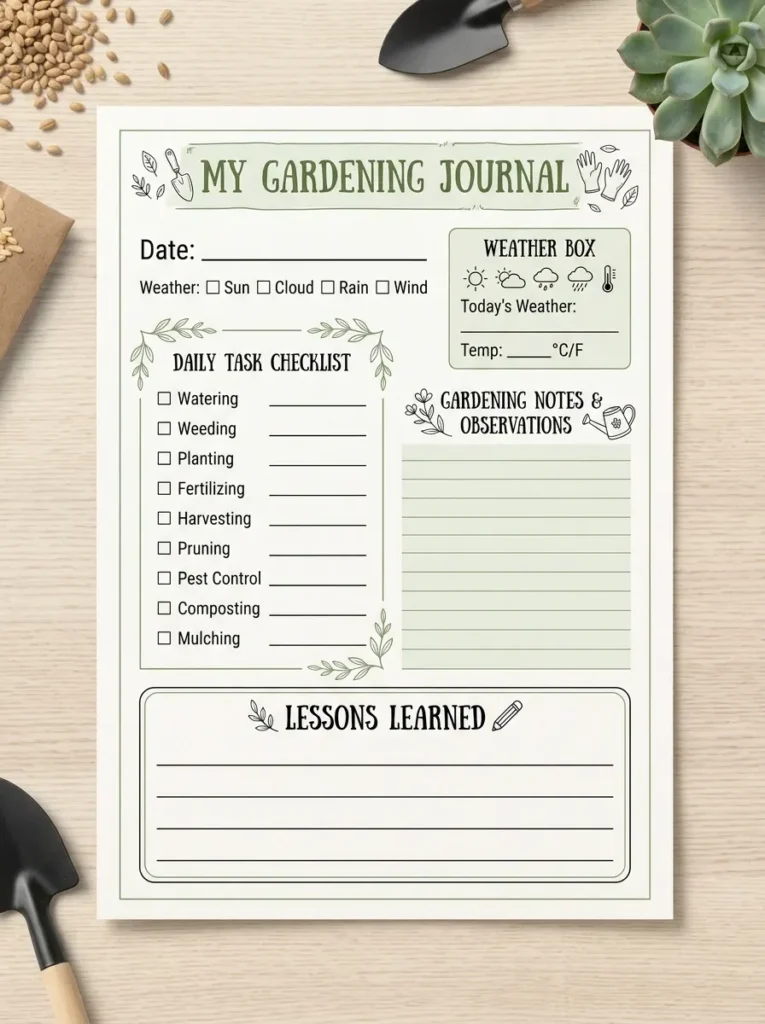
A good gardening journal template keeps your entries quick and consistent. You don’t need anything complicated. Here’s a layout you can copy into any notebook or printable page.
A Simple Weekly Entry
Use these lines at the top of each entry:
- Date:
- Weather: (sunny, rainy, hot, cold)
- Tasks done: (planted, weeded, watered, pruned)
- What I noticed: (blooms, pests, growth)
- Harvest: (what and how much)
- Next steps: (what to do next week)
That’s it. Six lines take about two minutes.
A Plant Profile Page
Give each important plant its own page. Include the following.
- Plant name and variety
- Planting date and location
- Source: (seed company or nursery)
- Days to sprout and first harvest
- Problems and fixes
- Overall rating: (1 to 5 stars)
- Would I grow it again?
Plant profile pages are the most useful part of any gardening journal template. After a few seasons, you can flip through and choose your favorites in minutes.
A Yearly Overview Page
At the start of each year, make a summary page with these items.
- Goals for the season
- Frost dates
- Beds and what goes in each
- Seed shopping list
- Budget
At the end of the year, add a quick recap. Include your best crop, your biggest challenge, and one thing you’ll change.
Tips to Make the Habit Stick
- Keep it near the door. Store your log where you leave for the garden, not in a drawer.
- Use a pencil. Ink smudges in wet weather, and pencil doesn’t run.
- Write while you’re outside. A quick note on the spot beats trying to remember later.
- Set a weekly reminder. Pick a day, like Sunday morning, to update your notes.
- Don’t aim for perfect. A short, messy note is better than a blank page.
Notion Gardening Template: A Digital Way to Track Your Garden
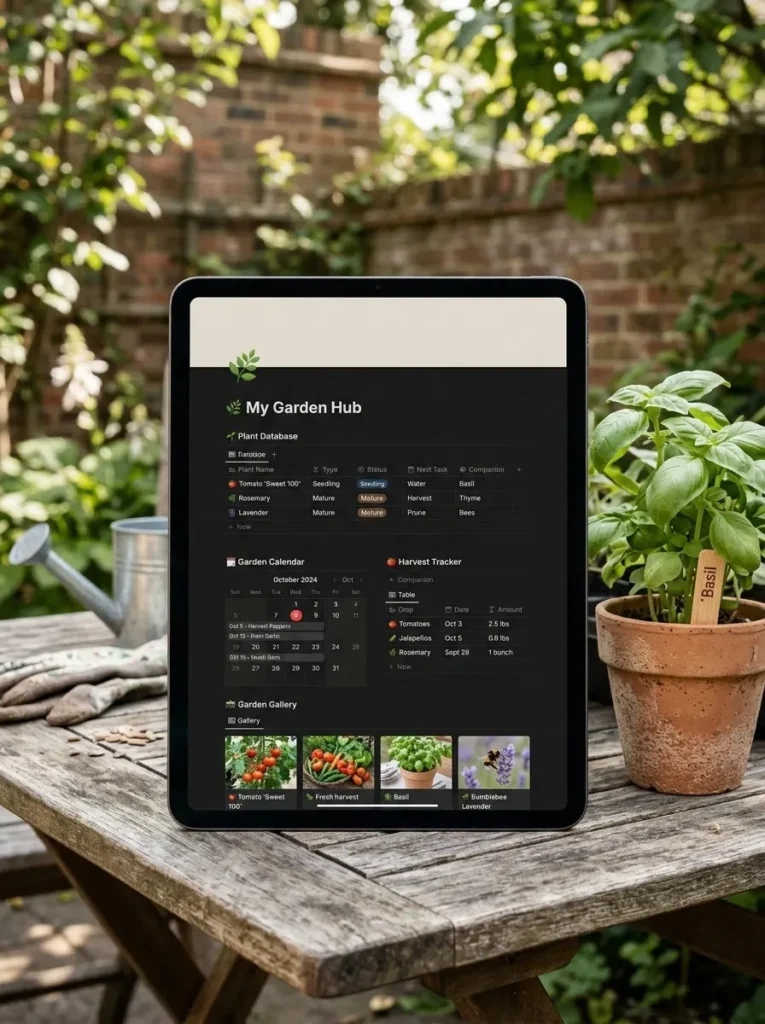
If you like organized digital tools, a Notion gardening template can be a strong choice. Notion is a free note and database app that runs on your phone and computer. You can build a gardening log there that sorts, filters, and reminds you.
What a Good Notion Gardening Template Includes
A helpful template usually has these parts.
- Plant database: One row per plant with variety, planting date, location, and notes.
- Task calendar: A monthly view for sowing, feeding, and pruning tasks.
- Harvest tracker: A simple table for dates and amounts.
- Pest and problem log: A list of issues, photos, and fixes.
- Seed inventory: What you own, how old it is, and where it came from.
- Photo gallery: A visual timeline of your garden’s growth.
How to Build Your Own in About 30 Minutes
You don’t need to buy a template. You can create a basic one yourself.
- Create a new page called “Garden Log.”
- Add a database as a table and name it “Plants.”
- Add columns for name, variety, date planted, location, status, and notes.
- Add a second database called “Harvests” with date, plant, and amount.
- Add a third database called “Problems” with date, plant, issue, and fix.
- Link the databases so each harvest and problem connects to a plant.
- Add a calendar view to see tasks by date.
Start simple. You can always add more features later.
Pros and Cons of Going Digital
Pros:
- Search old notes in seconds
- Add photos from your phone
- Sort by plant, bed, or date
- Access it anywhere
Cons:
- Requires a device in the garden
- Takes some time to set up
- Can feel less personal than paper
Many gardeners use both. They scribble quick notes in a small notebook, then type the highlights into their digital log once a week.
Gardening Cheat Sheet and Infographic Ideas for Your Log
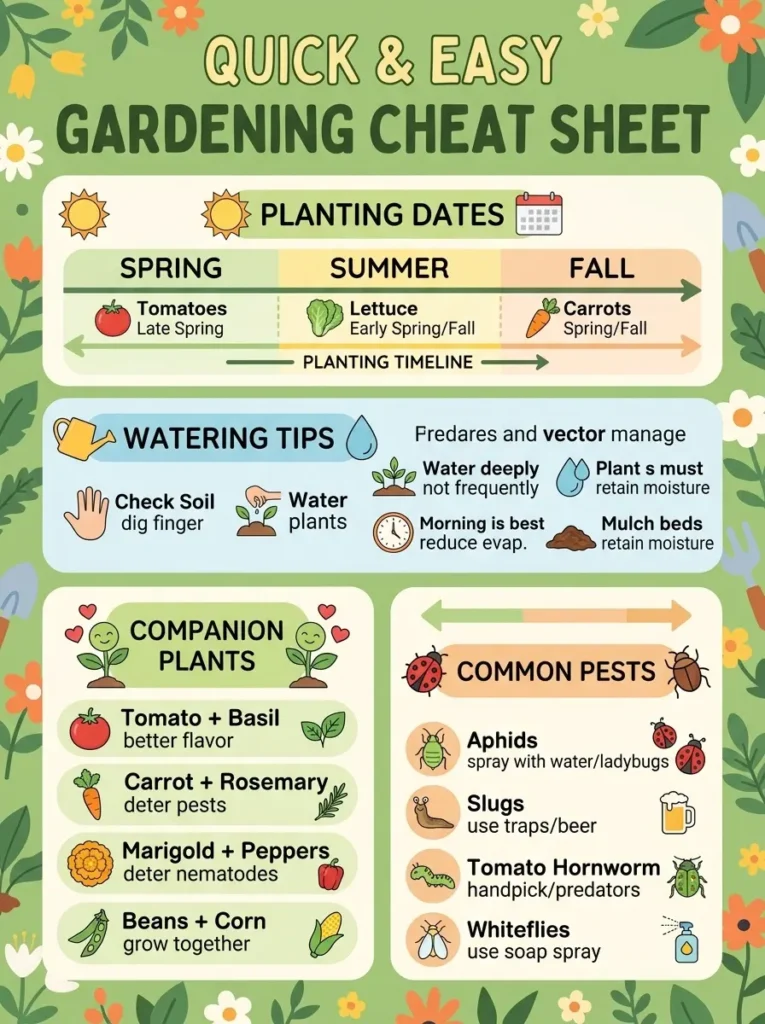
A log records your own experience. A cheat sheet holds quick facts you can check in seconds. Adding both to your binder or digital page makes the whole system more useful.
What Goes on a Gardening Cheat Sheet
Keep it to one page. Include only the facts you look up often.
- Frost dates: Your average last spring frost and first fall frost.
- Planting times: When to start seeds indoors and when to move plants outside.
- Spacing: How far apart to plant common crops.
- Watering needs: Which plants like moisture and which prefer dry soil.
- Companion plants: Good neighbors, like basil beside tomatoes.
- Common pests: What they look like and how to handle them.
- Harvest signs: How to tell when a crop is ready.
Print it and tuck it inside the front cover of your gardening binder, or pin it to a shed wall.
Why a Gardening Infographic Helps
A gardening infographic turns facts into a quick picture. It’s easier to read than a wall of text, which makes it perfect for a busy day in the garden. Good ideas include a seasonal planting wheel, a companion planting chart, a watering guide by plant type, and a month by month task map.
How to Make Your Own Gardening Infographic
You can make one for free with simple online design tools.
- Choose one topic, such as spring planting.
- Write down five to seven key facts.
- Pick two or three colors and stick to them.
- Add simple icons next to each fact.
- Keep text short. Use big headings and small notes.
- Print it, or save it to your digital log.
A homemade infographic based on your own garden is more useful than a generic one. It reflects your soil, your climate, and your habits.
How to Use Your Gardening Log Through the Year
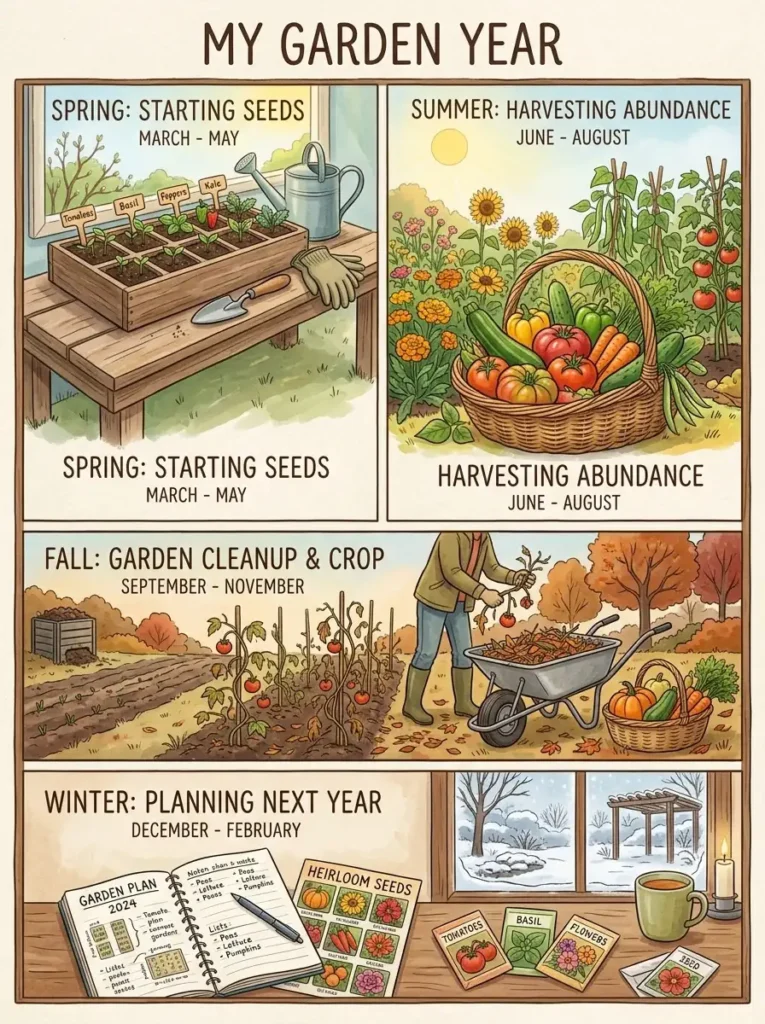
A log works best when you use it in every season, not just during the growing months. Here’s a simple yearly rhythm.
Winter: Review and Plan
Winter is the perfect time to read last year’s notes. Look for patterns. Which crops did best? Where did you struggle? Use that information to pick seeds and plan bed layouts. Make your shopping list from real results instead of impulse.
Spring: Start and Record
Log your seed starting dates and transplant dates. Note your last frost. Take a photo of each bed after planting so you can compare later. Write down any changes to soil or watering.
Summer: Watch and Adjust
Keep quick notes on heat, pests, and harvests. This is when a log becomes a problem solver. If a plant struggles, look back at your notes to see what changed. Record your fixes so you know what worked.
Fall: Harvest and Reflect
Track your final harvests and first frost. Write your season recap while the details are fresh. Note what you’d do again and what you’d skip. Collect seeds and label them with the plant name and year.
Common Mistakes to Avoid
- Starting too big. Begin with one page and a few simple fields.
- Waiting until the end of the season. Write as you go, because memory is unreliable.
- Leaving out the failures. Bad results teach the most. Write them down.
- Skipping dates. Dates are the most useful data you’ll record.
- Losing the log. Keep one home for it, whether that’s a shelf, a bag, or a cloud folder.
Frequently Asked Questions
What should I write in a gardening log?
Start with planting dates, plant varieties, weather events, watering and feeding, pests, and harvests. Add a short note about what worked and what didn’t. Even three or four lines per week are enough to build a valuable record.
Is a gardening journal the same as a gardening log?
They’re close, but not identical. A gardening log focuses on facts like dates and numbers. Gardening journals often include feelings, sketches, and stories. Many gardeners blend the two in a single book.
How often should I update my gardening log?
Once a week works well for most people. During busy seasons like spring planting, you might write more often. In winter, a monthly review is plenty.
Are gardening binders better than notebooks?
It depends on your style. A gardening binder is more flexible, since you can add and move pages, and it holds seed packets and plant tags. A notebook is simpler and lighter. Pick the one that makes you want to write.
Can I use a digital gardening log instead of paper?
Yes. A Notion gardening template, a spreadsheet, or a notes app can all work. Digital logs are easy to search and share photos. Choose paper if you enjoy writing by hand, or digital if you like speed and reminders.
Conclusion
A gardening log is one of the simplest tools you can add to your garden, and it may be the most helpful. It saves you from repeating mistakes, shows you what thrives in your yard, and turns each season into a lesson. Whether you choose a gardening notebook, a pretty gardening journal, a flexible gardening binder, or a Notion gardening template, the best format is the one you’ll use.
Start small. Write down today’s date, what you planted or picked, and one thing you noticed. That’s a real gardening log. Add a cheat sheet or infographic later if you like. Over time, your notes become your own personal guide to your own garden.